
Guides
How to monitor Pipecat agents
Monitoring Pipecat agents means tracing conversation turns (speech → language model → voice), measuring latency on that waterfall, and attributing dollar cost — with a clear path from first export to a Cost tab.
Last updated
What to monitor
- Cost — speech / language model / voice per session and margin if you resell minutes.
- Quality — outcomes and goals for every call.
- Latency — turn waterfalls that show which stage stalled (TTFB, interruptions).
- Topology — which processor or handoff failed.
Step 1 — Baseline economics
Estimate stack cost with the Voice AI cost & margin calculator and the cost per minute guide.
Step 2 — Instrument Pipecat
Install Pipecat instrumentation (pip install "parlot[pipecat]" or the
dedicated package), set PARLOT_ENDPOINT / PARLOT_API_KEY, and add the
highlighted lines as shown in the
Pipecat guide and
Quick Start:
from parlot.instrumentation.pipecat import parlotize

parlotize("my-pipecat-agent")
# then build Pipeline / PipelineTask as usual
Step 3 — Inspect Cost and Quality
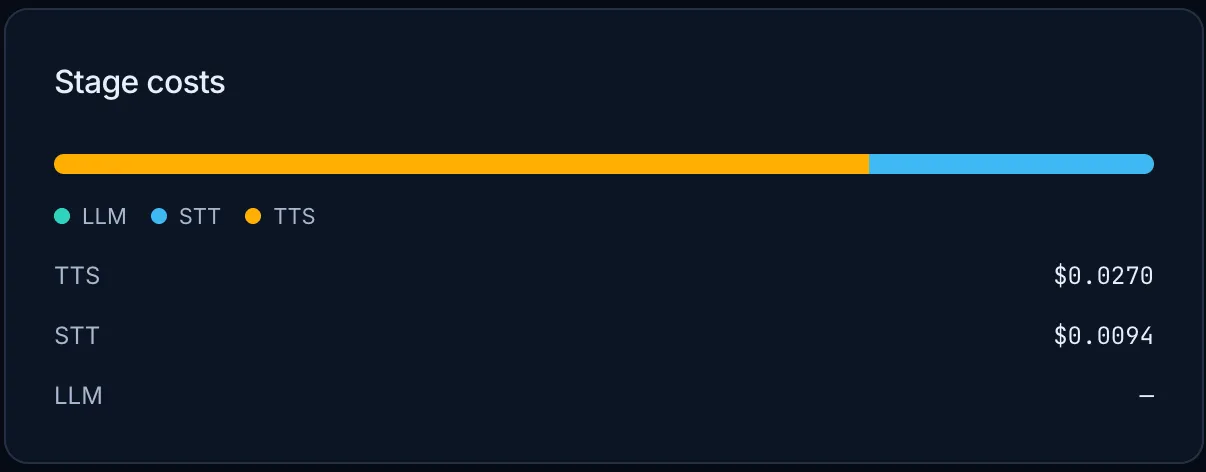
After traffic flows, open a session in Parlot. Use Cost for stage dollars and Quality / Speed for outcomes and latency stacks.
DIY checklist
- Enable Pipecat tracing / metrics (
enable_tracing, service metrics) per Pipecat docs. - Export OTLP to your collector or a backend such as Langfuse’s Pipecat integration.
- Join spans to provider usage invoices; apply a rate card offline.
- Compare framing: Parlot vs Langfuse for voice agents.
FAQ
Pipecat can export OTLP spans (including speech / language model / voice service spans) to Langfuse. Parlot focuses on session economics, your rates, and voice quality views on top of that pipeline model.