
Guides
How to track LiveKit agent costs
To track LiveKit agent costs you need session-level speech-to-text, language model, and text-to-speech usage priced with your rates — including LiveKit minutes and every provider’s usage. Here is a concrete path.
Last updated
What to measure
- LiveKit media / Cloud usage (when applicable).
- Speech-to-text provider usage for the session.
- Language-model tokens across turns and tool calls (including growing history).
- Text-to-speech characters or audio generation.
- Optional telephony / SIP.
Step 1 — Estimate stack cost
Open the DIY on LiveKit calculator preset with your speech / language model / voice choices, or follow the cost per minute guide. Save the planning $/min before you ship traffic.
Step 2 — Instrument with parlotize()
Install the LiveKit instrumentation package, set PARLOT_ENDPOINT and
PARLOT_API_KEY, and add the highlighted lines before you build the session
(full detail in the Quick Start):
from livekit.agents import AgentSession, JobContext
from parlot.instrumentation.livekit import parlotize

parlotize("my-agent")


async def entrypoint(ctx: JobContext):
    await ctx.connect()

    session = AgentSession(...)
    await session.start(agent=..., room=ctx.room)
Framework-specific notes: LiveKit guide.
Step 3 — Read per-session cost in Parlot
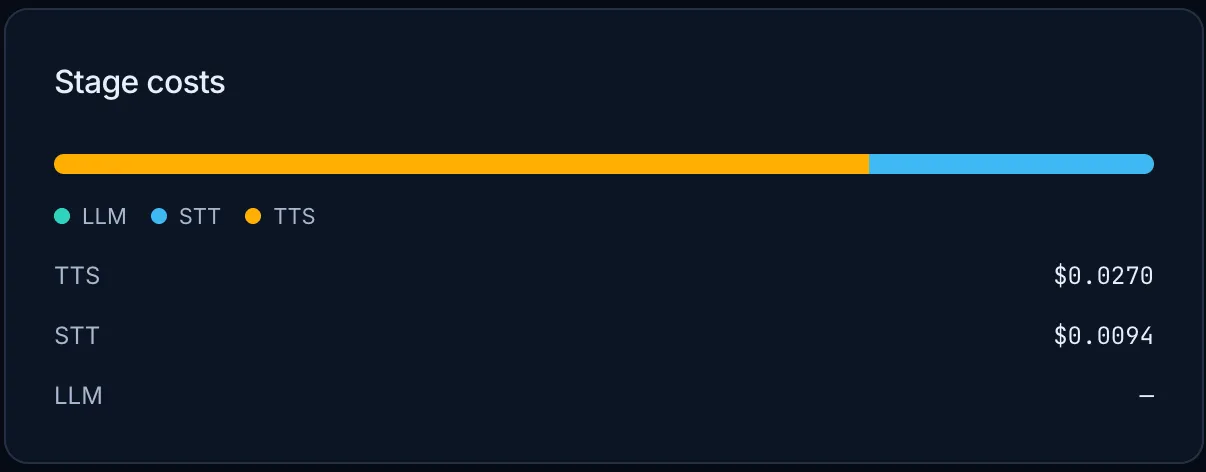
After calls export, open a session → Cost to see stage dollars against your rates (overrides live in the app).
DIY without Parlot
- Pull LiveKit usage / Cloud invoices for media minutes.
- Export provider usage (Deepgram, OpenAI, Cartesia, …) for the same window.
- Join on room ID / session ID / time range in a spreadsheet or warehouse.
- Apply your rate card; reconcile to the calculator defaults as a sanity check.
LiveKit Agent Insights keeps observability data for 30 days by default (LiveKit docs — retention window). Download or export if you need a longer archive. Product framing: Parlot vs LiveKit Cloud Insights.
FAQ
Agent Insights stores LiveKit Cloud observability (transcripts, traces, metrics, audio) for 30 days by default. Third-party speech / language model / voice invoices still need your rates mapped onto sessions if you care about margin per call.
The Quick Start and LiveKit guide in the docs — use those when APIs change; the snippet below is the minimal pattern.